Smart Unit Battery replacement / Remplacement Batterie Smart Unit
Tools required / Outils nécessaires
- T30 security key (the one to adjust the saddle) / clé torx sécurité T30 (celle pour ajuster la selle)
- T8 security key / clé torx sécurité T8
- T6 key or screw driver / Clé ou tournevis torx T6
Remove smart unit from your bike / Démonter la smart unit du vélo
To remove the smart unit from your bike, follow the official Vanmoof video / Pour retirer la smart unit du vélo, suivez les instructions de la vidéo officielle Vanmoof.
https://www.youtube.com/watch?v=ybkFPR-Zhc0
Open the smart unit / Ouvrir la smart unit
- To open the smart unit, you need to remove the two T6 screws that attach the front and rear part / Dévissez les deux vis T6 qui maintiennent attachées ensemble la partie avant et arrière de la cartouche.
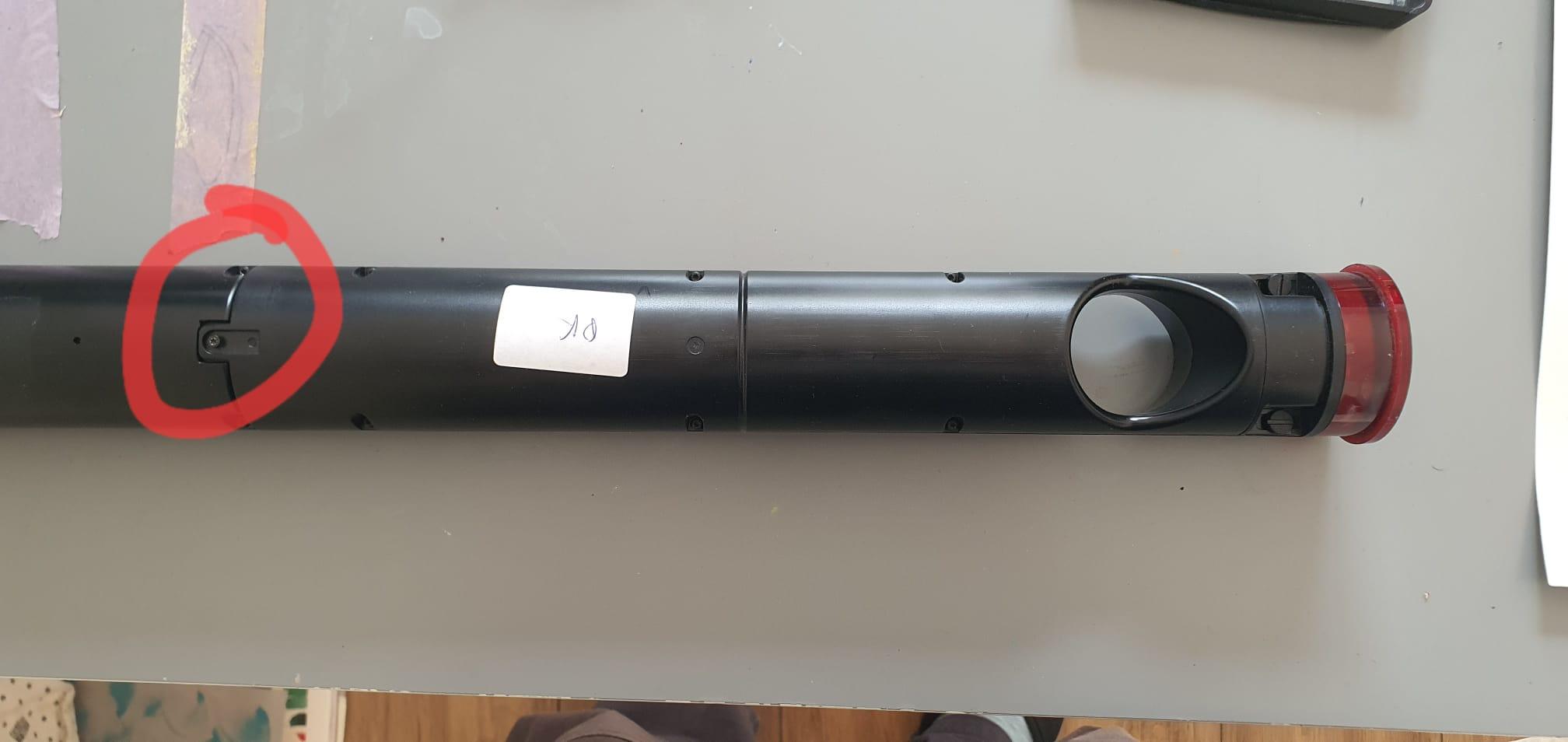
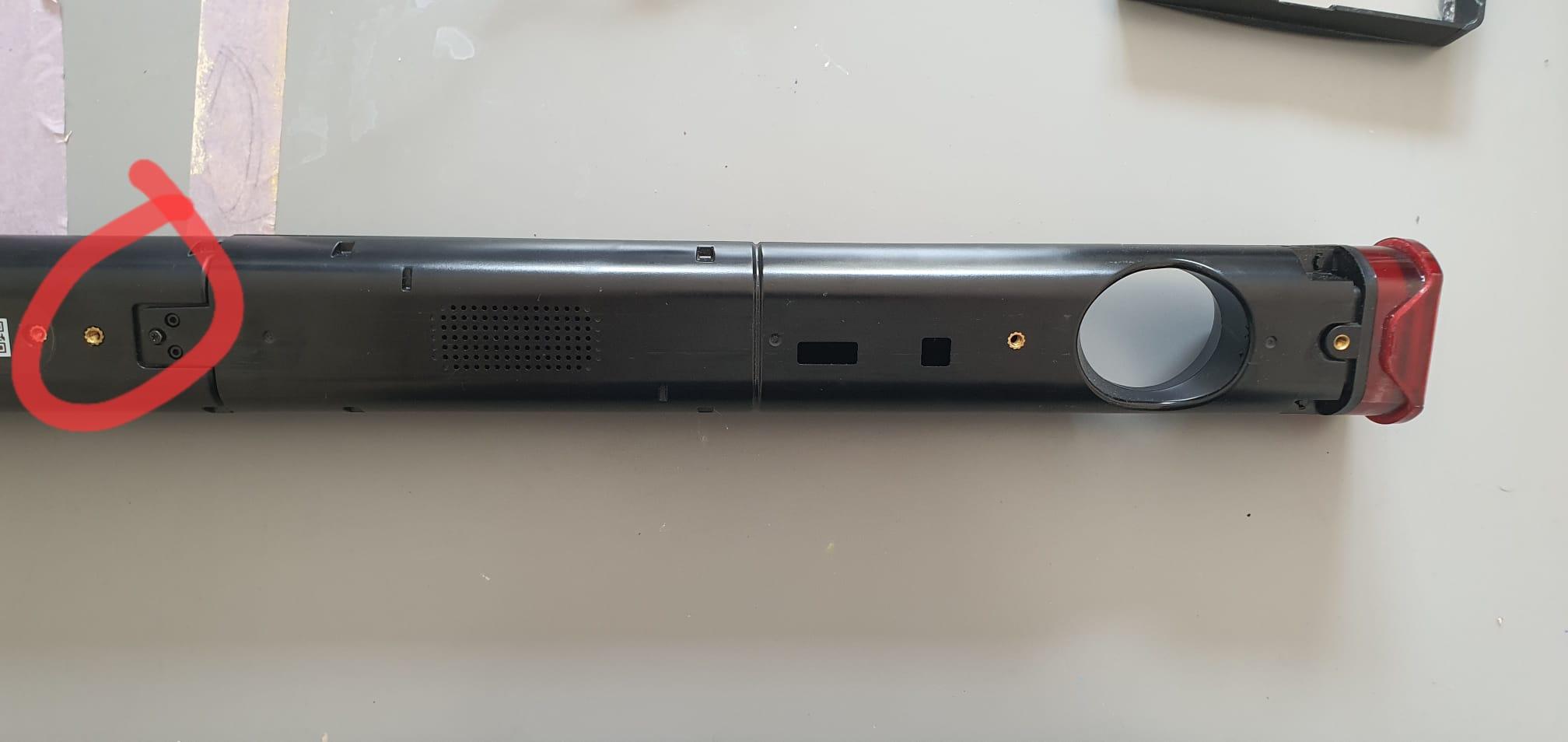
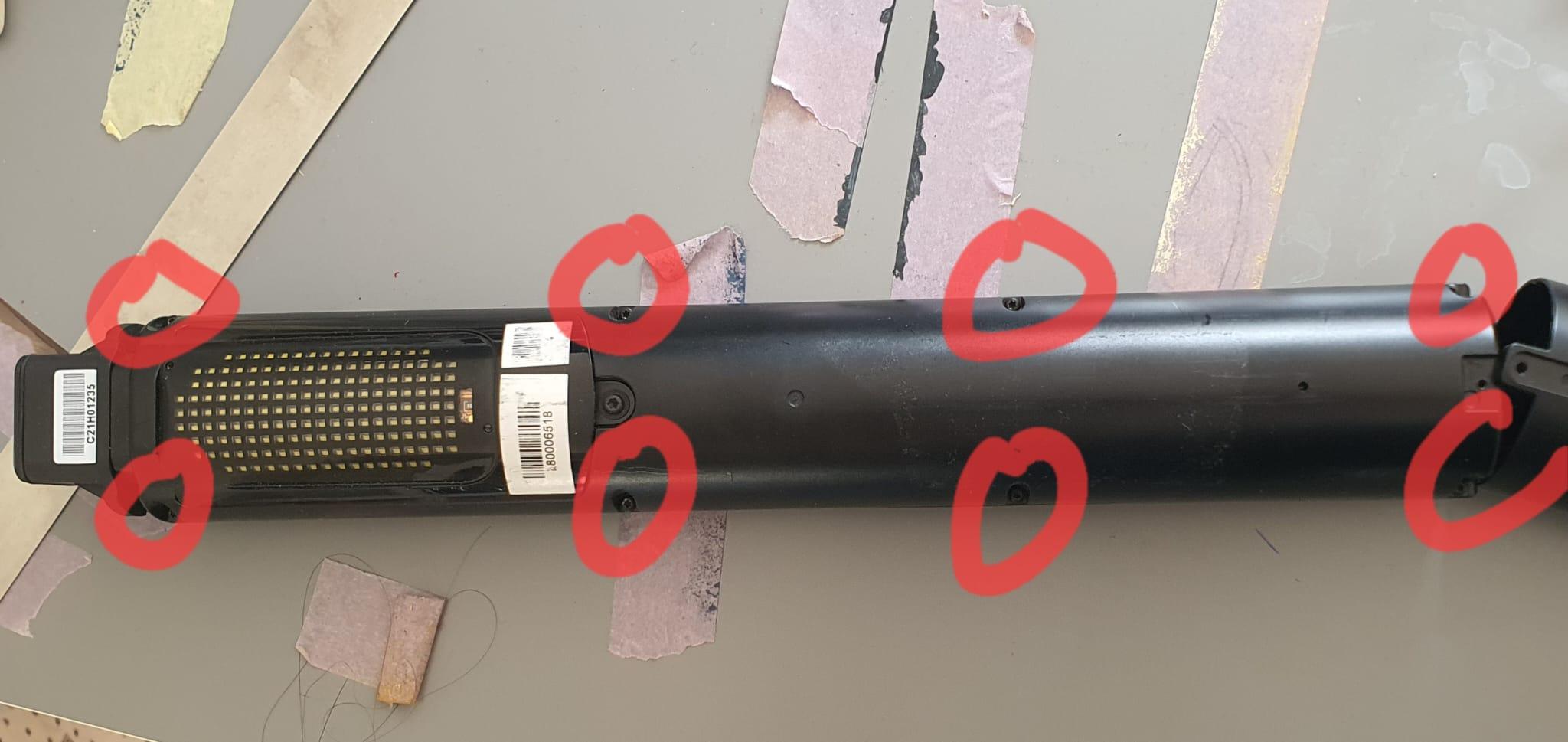
- Then you need to remove the 8 T6 screws on the front part of the smart unit, be carefull when opening not to strip the screen and battery cables / Vous devez maintenant dévisser les 8 vis T6 présentes à l'avant de la smart unit, attention lors de l'ouverture à ne pas arracher les câbles de l'écran et de la batterie.
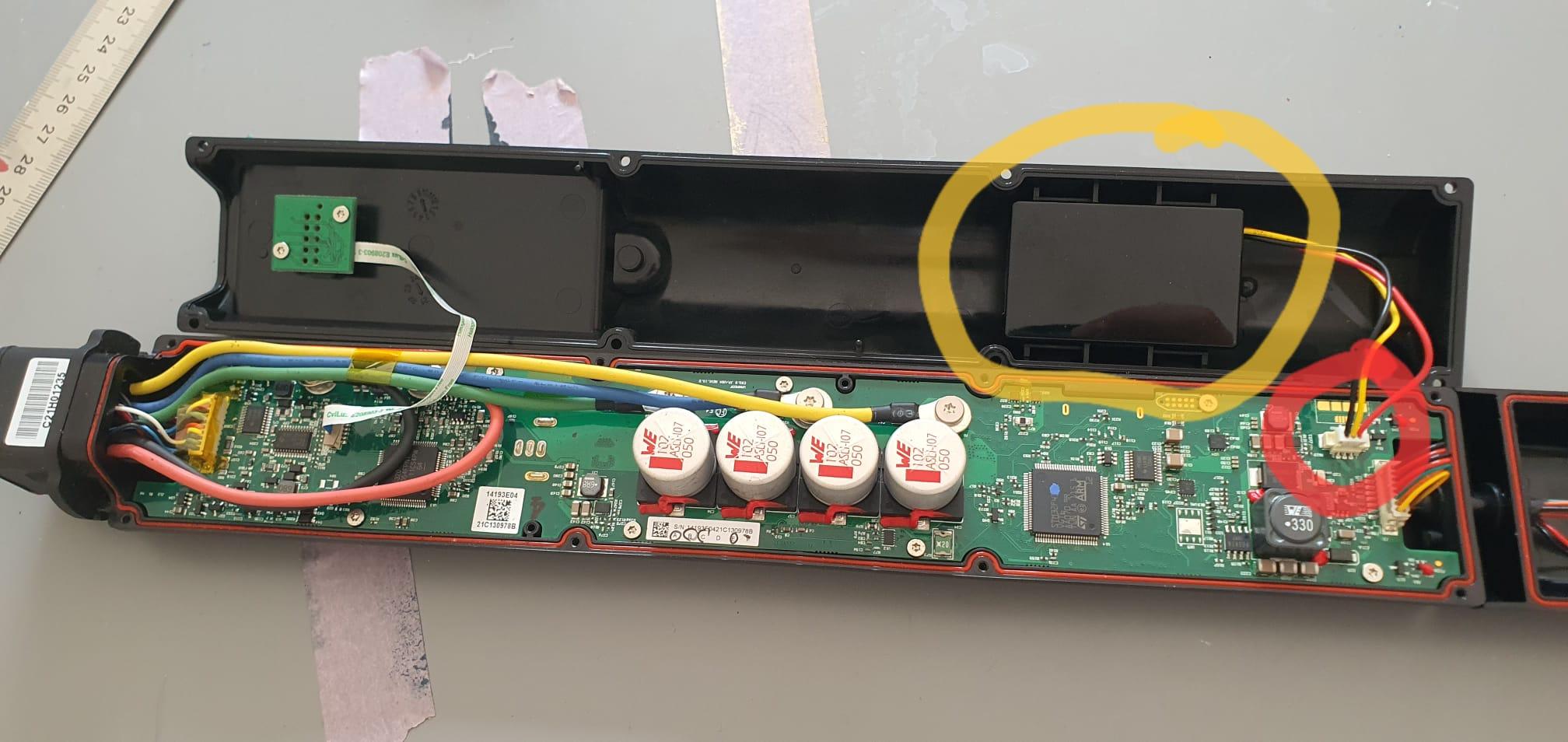
- The battery is located on the upper part of the casing (in yellow), you need to unplug it from the circuit (in red) and then remove it from the casing / La batterie est dans la partie supérieure du boitier (entourée en jaune), débranchez la (prise entourée en rouge) et retirez la du boitier.
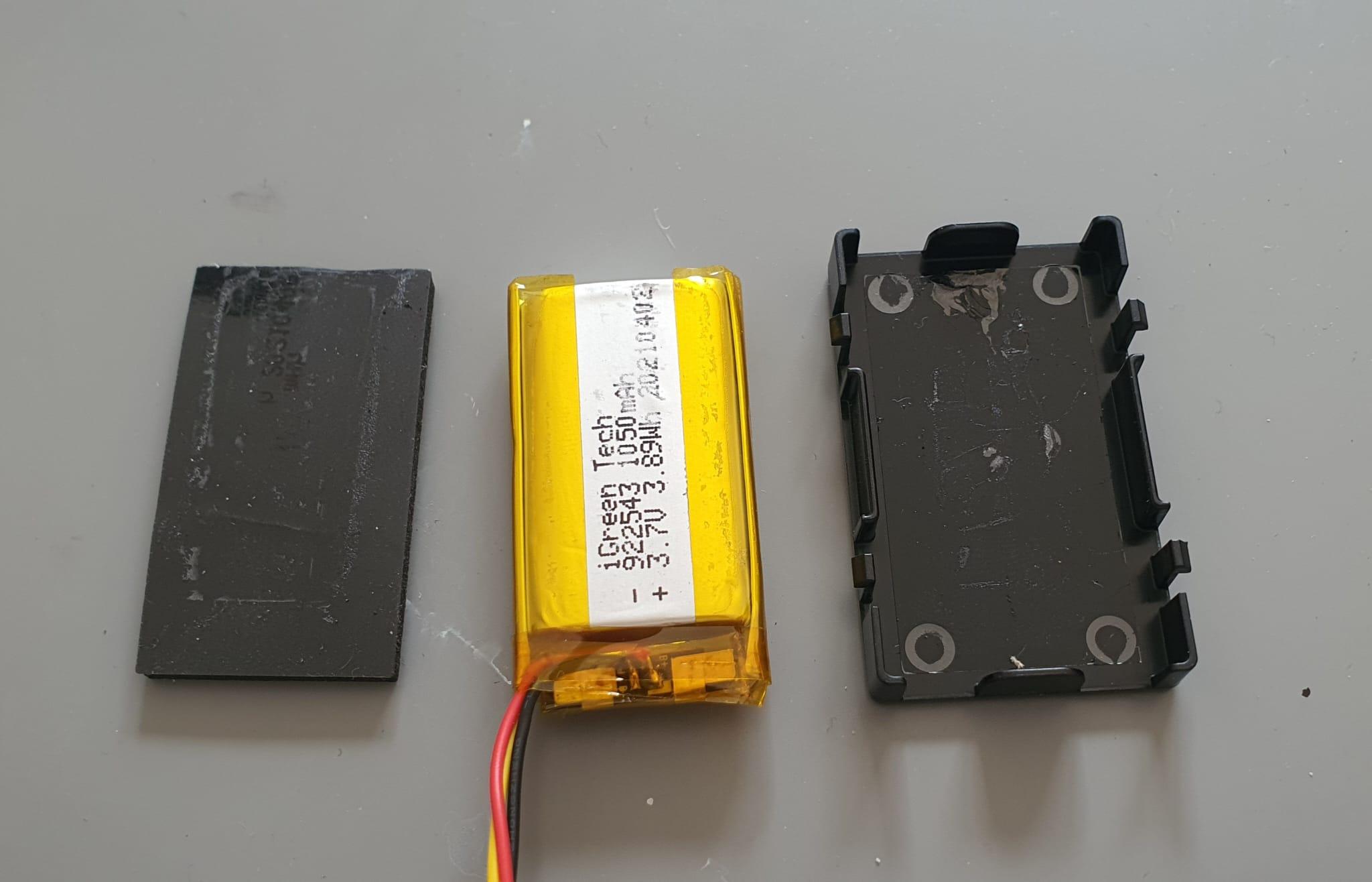
- You can now separate the battery from it's casing and protective foam, be carefull when pulling on adhesive not to damage or perforate the old battery / Vous pouvez maintenant séparer la batterie de sa coque en plastique et de sa mousse protective, veillez à ne pas abimer ou perforer la batterie en séparant l'adhésif.
Congratulations, you can now follow the process in the reverse order to put back everything together !
Bravo, vous n'avez maintenant qu'a suivre le procédé dans le sens inverse pour tout remonter !